
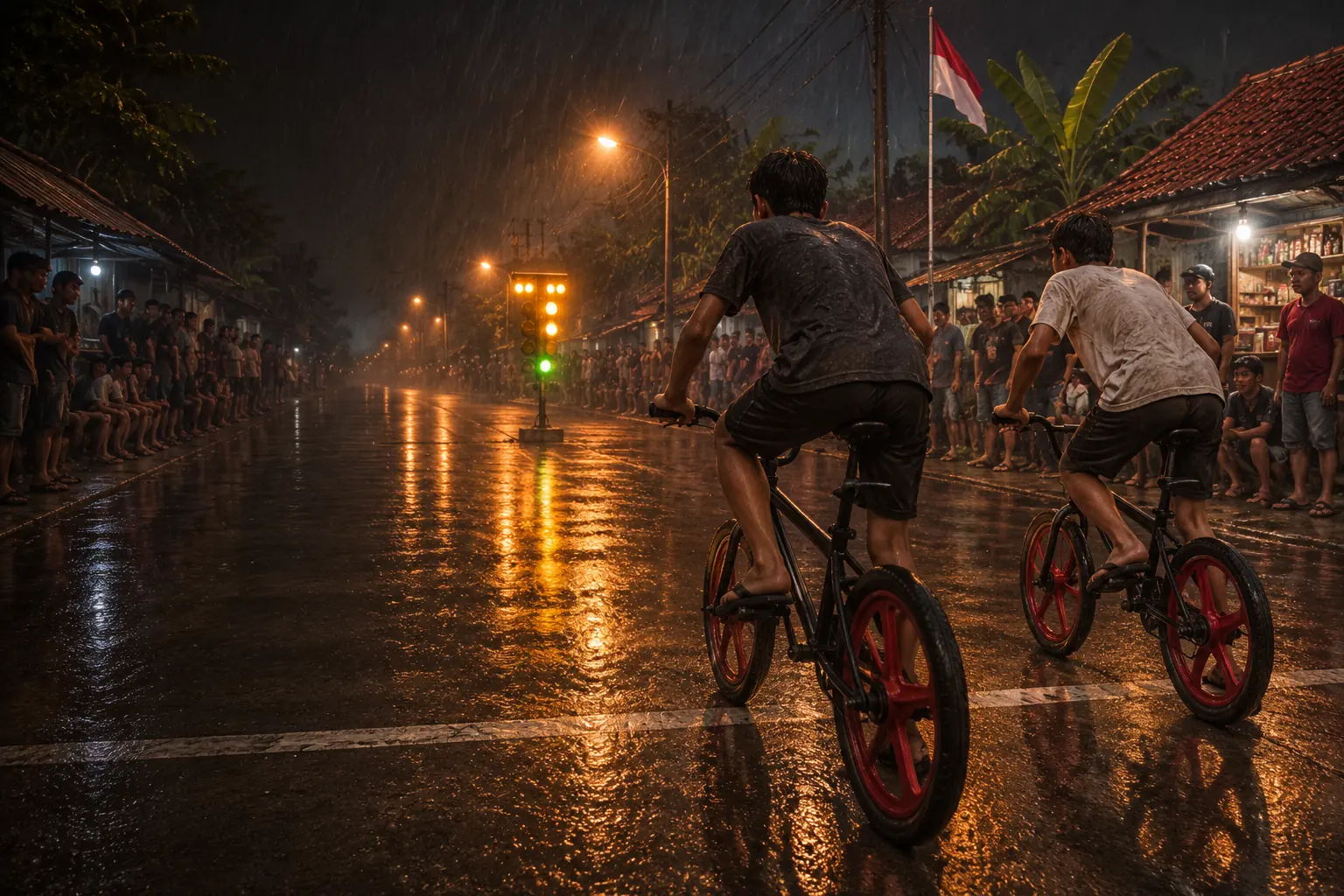
Onthel Life Livery Guide: Paint, Finishes and Decals
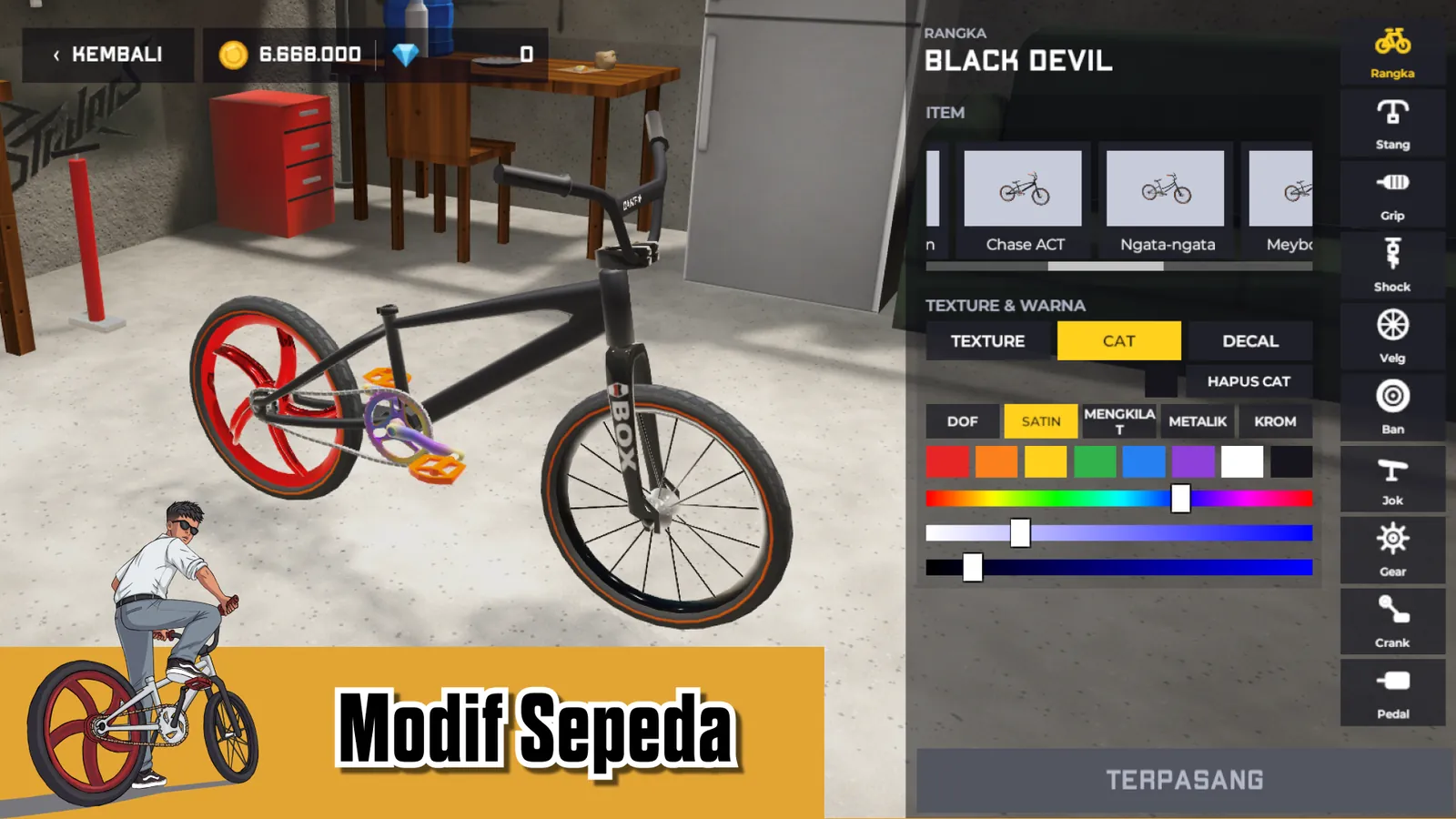
What you can change
| Control | In-game label | What it does | Sources |
|---|---|---|---|
| Paint each part | CAT | Colour picker per part: frame, rims, tires and the rest | Play description, garage screenshot |
| Finish | DOF · SATIN · MENGKILAT · METALIK · KROM | Matte (dof), satin, gloss, metallic or chrome finish | Garage screenshot; Industry.co.id mentions satin and metallic |
| Texture | TEXTURE | Surface texture for the part | Garage screenshot, Play description |
| Decal | DECAL | Put your own decal on the bike | Play description ("custom decal"), 3 player videos |
| Remove paint | HAPUS CAT | Resets the paint on the selected part | Garage screenshot |
The sources present paint and decals as appearance options; no measured speed comparison is published, while performance comes from parts (see bikes and parts).
Apply a livery step by step
- Update the game to 0.1.3 on Google Play — older builds have no livery option.
- Open the garage (Modif Sepeda) and choose your bike and frame.
- Open TEXTURE & WARNA and pick CAT to paint, or DECAL for decals.
- Choose a finish (dof, satin, mengkilat, metalik, krom) and a colour for each part.
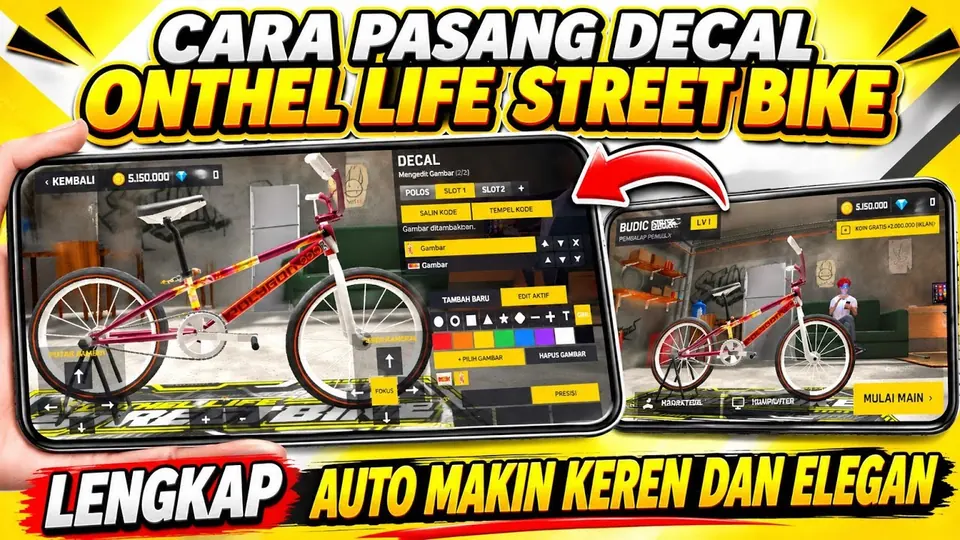
- Add a built-in decal or paste a decal code, then adjust pattern and colour.
- Check the result in photo mode, then save (TERPASANG marks what is fitted).
Decal codes
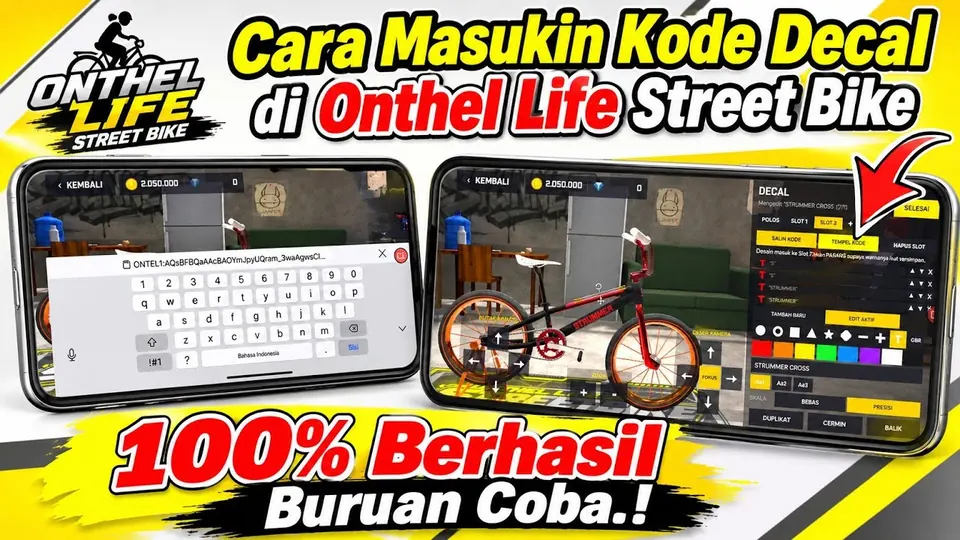
Players share decals as text codes. The path shown in the videos is Modif Sepeda → Decal → paste the code, after which the decal appears on the bike. umam tv (35.7K views) and hadi mustafid m (15.5K and 36K views) cover it separately, so the feature is well attested — but no one has published a format or a master list, and the codes travel through comments and TikTok captions.
Polygon, Thrill and Gazelle looks
Polygon, Thrill and Gazelle are real bicycle brands that players imitate with paint and decals; the sources discuss them as player-created looks rather than a confirmed frame roster. Beritadiy checked for downloadable livery files under those names up to 22 November 2026 and found no verifiable link, and Mamikos notes that the game's own documentation does not say whether gallery images or outside livery files can be imported. So the safe way to get a "Polygon" look is to rebuild it with paint, finish and decals — the MN&G video "Modifikasi Polygon Raizo pakai livery" does exactly that.
Newest livery video
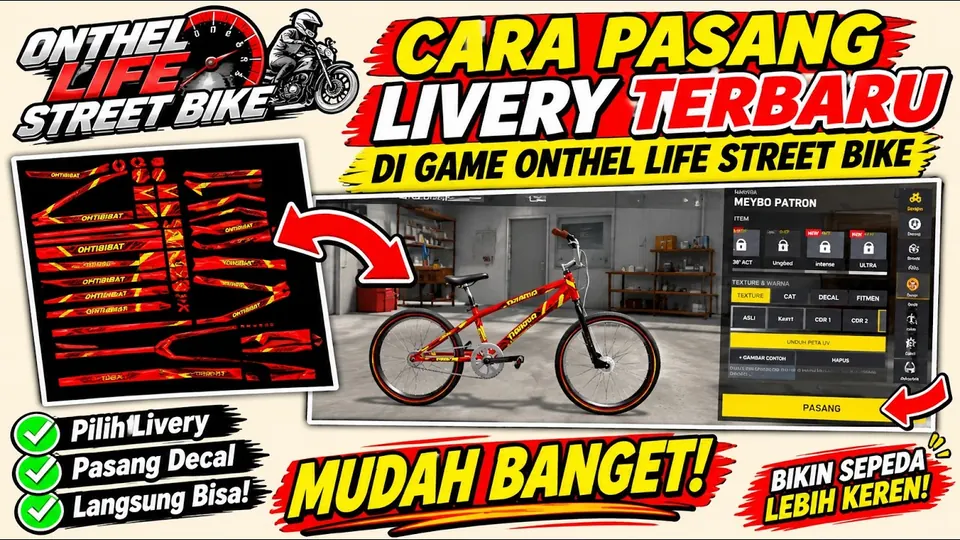
MFarqan's walkthrough from 24 November shows the livery menu as it looks after 0.1.3.
FAQ
When was livery added to Onthel Life?
In version 0.1.3, released on Google Play on 18 November 2026. Stickers came first, in 0.1.2 on 13 November 2026.
How do I use a decal code in Onthel Life: Street Bike?
Open Modif Sepeda, go to the Decal tab, paste the code and confirm. The decal then appears on the bike and can be adjusted.
Can I download a Polygon or Gazelle livery file?
The checked articles do not provide a verified downloadable file. Polygon, Thrill and Gazelle are real-world bike brands; players recreate their look with paint and decals.
Does livery make my bike faster?
No source says so. The developer links speed to better parts, not to paint or decals.
Keep reading
Sources
- Google Play listing — 0.1.3 changelog "Fitur Livery" and decal feature — checked 2026-11-26
- Beritadiy — download livery Onthel Life, cara pasang (22 Nov 2026) — checked 2026-11-26
- Mamikos — link unduh game livery Onthel Life (25 Nov 2026) — checked 2026-11-26
- Industry.co.id — feature summary (20 Nov 2026) — checked 2026-11-26
- YouTube — umam tv, Cara Masukin Kode Decal (20 Nov 2026) — checked 2026-11-26
- YouTube — hadi mustafid m, Cara Pasang Decal (21 Nov 2026) — checked 2026-11-26
- YouTube — MN&G, Modifikasi Polygon Raizo pakai livery — checked 2026-11-26
Page updated 2026-11-26. Written by The onthellife.org editor. Corrections: [email protected].